OCLS Podcasts: I chose the podcast on Big Read's presentation of Harper Lee's "To Kill a Mockingbird." The video featured four people of different ages and gender talking about how much they or a member of their family love this book. It also mentioned all activities connected with this event, such as a question/answer portion, book review, dramatic reading, book discussion and the screening of the movie itself. All these were to take place (and did take place) at the Orlando Public Library in March 2008.
LibVibe: Wow, you can listen to an eight or nine-minute newscast anytime. And the news are quite interesting!
Denver Public Library: I sampled the following podcasts - Beatrix Potter books, nursery rhymes, storytime favourites and interviews (Harry and the Potters).
British Library: From their 2007 Podcasts archive, I chose "Saving St
Catherine's Monastery Library." The audio itself was titled "Preserving Mt Sinai's Library." The talk was given by Nicholas Pickwood at the British Library on 4 September 2007. This Greek Orthodox Monastery was situated at the foot of Mt Sinai where Moses received the Ten Commandments. And their library houses the world's oldest Bible, the Codex Sinaiticus.
ABC: Subject options included Arts & Entertainment, Community & Lifestyles, Education, Health, Kids, News & Analysis, Religion, Science and Sport. Immediately following Podcasting is Video Podcasting. I clicked this one and was rewarded by several online videos. But the one I chose to watch was "The Chaser's War on Everything Online : If life were a musical."
Library Success Wiki: I checked out all the public libraries listed in this wiki and discovered a common denomination for most of them, which is that they provide teen webcasts and podcasts for children's stories and nursery rhymes. Others include book reviews, poetry reading, author talks, information and entertainment, interviews with interesting people and library news. Surely, in time our library can offer the same sort of podcasts to our customers as well as to our colleagues in the library profession.
Online Education Database: I listened to "Historical Jesus" (Stanford) and "Time, money and love in the age of technology" (UC Berkeley). There are many other interesting topics from this database. When I get more time, I will get back to this.
When this audio podcasting (and video podcasting) becomes a 'must have' technology in library services provision, I do hope that our library will be amongst the frontrunners.
Friday, April 4, 2008

Tuesday, April 1, 2008
Zoho wins my heart!
I find that Zoho is much better than Google Docs. The former has much more features, such as skins, superscript, subscript, DigiSign, emoticons, and special character, just to mention a few. You can even write a document in the following languages: Japanese, Dutch, Danish, Russian, French, German, Italian, Spanish, Swedish and Chinese. And ... Zoho can do spellcheck for each language. And there's more! You can go offline!
Our library has had computer virus problems caused by our customers using their USBs and floppy disks. For the moment, they are not allowed to use these devices but I don't think we can hold them back forever. Already, the customers are howling: How on earth are we gonna print out our documents if you don't allow us to download these from our USBs? These online word processors could be the answer. We just have to make these known to them in one of our DO YOU KNOW THAT... awareness programs which can take the form of posters, bookmarks, talks and other awareness strategies. It will take some time but we have to start somewhere.
These online word processors will be VERY useful to me personally when writing articles, reports and other written communications. I often write articles (for our Library News and PLB News) when I'm on my annual leave or home. When I finish drafting the document, I attach it to my email (personal email account) and send this to my office outlook. As soon as I get back to work, I save the document in my TRIM folder and work from there. Last time, I used my USB to save my writing and uploaded this document to my office pc when I got back to work. But with Google Docs or Zoho, it will be a different ball game. These online word processors will definitely change the way I deal with documents from now on. Imagine being able to access my documents anytime, anywhere!
Our library has had computer virus problems caused by our customers using their USBs and floppy disks. For the moment, they are not allowed to use these devices but I don't think we can hold them back forever. Already, the customers are howling: How on earth are we gonna print out our documents if you don't allow us to download these from our USBs? These online word processors could be the answer. We just have to make these known to them in one of our DO YOU KNOW THAT... awareness programs which can take the form of posters, bookmarks, talks and other awareness strategies. It will take some time but we have to start somewhere.
These online word processors will be VERY useful to me personally when writing articles, reports and other written communications. I often write articles (for our Library News and PLB News) when I'm on my annual leave or home. When I finish drafting the document, I attach it to my email (personal email account) and send this to my office outlook. As soon as I get back to work, I save the document in my TRIM folder and work from there. Last time, I used my USB to save my writing and uploaded this document to my office pc when I got back to work. But with Google Docs or Zoho, it will be a different ball game. These online word processors will definitely change the way I deal with documents from now on. Imagine being able to access my documents anytime, anywhere!
Friday, March 28, 2008
Google Maps
Oh, this site is VERY interesting! I watched the YouTube presentations on Google Maps' features: add a place, edit the map, driving instructions, street view and transit.
Add a place: This is particularly helpful for new businesses who can add their locations on the map for the world to see. In the library environment, we can add specifics such as the locations of the central and branch libraries, including their addresses and write perhaps a few words about the services offered.
Edit the map: We can add new information, make corrections or edit details, update places or even remove or delete info if no longer relevant (like a library having relocated to a new location).
Driving instructions: Well, I'm sure this is familiar to most people who drive.
Street view: I like this one. This allows you to view street level photographs, take virtual walks (pan, rotate and zoom), explore cityscapes, landmarks, points of interest, and find shops, restaurants, parks, hotels and more. I can imagine how useful this will be for the Community Information Librarian and the Local Studies Librarian.
Transit: This is pretty much like the Driving Instructions where you get directions from one place to another, EXCEPT that Transit is really for making public transport easy. Transit gives step by step directions for the entire route (journey) whether by foot (walking), by train, or by bus. You can see exactly where you have to be. It also gives travel times and transfers for each leg of the trip.
In Google Maps, I entered "liverpool, nsw, australia" as my search engine and was rewarded with the map of Liverpool (and neighbouring places). Within the map are the following options: Get directions: To here-From here; Search nearby, Save to My map. I clicked on Search nearby and typed in library. There were 2,157 results and first on the list was Liverpool City Library. I clicked on Liverpool City Library and there it was on the map, complete with its address. Within the map itself are the following options: Write a review - more info, Get directions, Search nearby, Save to My Maps, Send to phone, Edit. I immediately saved this to My Maps. Just right above the map are the following: View in Google Earth, Print, Send, Link to this page. I sent this map via email to the nswpln team by way of testing if this really works.
The top right corner of the map itself showed the following: Map, Satellite and Terrain. All three gave different views. This feature will definitely be very useful for our Council people in charge of mapping the area, for our customers interested in viewing Liverpool in different ways, and very specially for our historical society and Local Studies library staff. Great website!
Add a place: This is particularly helpful for new businesses who can add their locations on the map for the world to see. In the library environment, we can add specifics such as the locations of the central and branch libraries, including their addresses and write perhaps a few words about the services offered.
Edit the map: We can add new information, make corrections or edit details, update places or even remove or delete info if no longer relevant (like a library having relocated to a new location).
Driving instructions: Well, I'm sure this is familiar to most people who drive.
Street view: I like this one. This allows you to view street level photographs, take virtual walks (pan, rotate and zoom), explore cityscapes, landmarks, points of interest, and find shops, restaurants, parks, hotels and more. I can imagine how useful this will be for the Community Information Librarian and the Local Studies Librarian.
Transit: This is pretty much like the Driving Instructions where you get directions from one place to another, EXCEPT that Transit is really for making public transport easy. Transit gives step by step directions for the entire route (journey) whether by foot (walking), by train, or by bus. You can see exactly where you have to be. It also gives travel times and transfers for each leg of the trip.
In Google Maps, I entered "liverpool, nsw, australia" as my search engine and was rewarded with the map of Liverpool (and neighbouring places). Within the map are the following options: Get directions: To here-From here; Search nearby, Save to My map. I clicked on Search nearby and typed in library. There were 2,157 results and first on the list was Liverpool City Library. I clicked on Liverpool City Library and there it was on the map, complete with its address. Within the map itself are the following options: Write a review - more info, Get directions, Search nearby, Save to My Maps, Send to phone, Edit. I immediately saved this to My Maps. Just right above the map are the following: View in Google Earth, Print, Send, Link to this page. I sent this map via email to the nswpln team by way of testing if this really works.
The top right corner of the map itself showed the following: Map, Satellite and Terrain. All three gave different views. This feature will definitely be very useful for our Council people in charge of mapping the area, for our customers interested in viewing Liverpool in different ways, and very specially for our historical society and Local Studies library staff. Great website!
Big Huge Labs
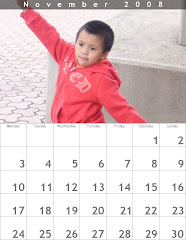
I have created three mashups using Calendar, Badge Maker and CD Cover.
Immediately following the finished product (mashup) these actions were listed:
Edit badge, Start Over, Save, Upload to Flickr, Share, Email
We do need to save our work to make uploading to our weblog easy. And that's what I did with my Calendar and Badge Maker. I saved these to my computer and uploaded from there to my weblog. I experimented with Upload to Flickr for the CD Cover. Check out myflickrville link to find out what the CD Cover is. I'm sure one of you will be pleasantly surprised.
I have always wanted to do A Calendar of Multicultural Recipes. Shhhh, don't tell anyone... And now, I've found out how to do this!
There are so many ways that we can use mashups in our library. For one thing, we can have a Calendar of Library Events and give this out to our customers in December as part of our marketing strategies. We can also start using CDs/DVDs to document our special events, programs, activities, projects, and even policies and procedures and have the appropriate CD covers for them. We can use the Badge Maker for our customers involved in Book Discussion Groups, Volunteer tutoring, Friends of the Library and the like, to give them a sense of belonging, and therefore raise their self-esteem. These three (Calendar, CD covers and Badge Maker) are the only mashups I've tried so far. And to think that there's more!
It is really amazing what you can do with Big Huge Labs!
Immediately following the finished product (mashup) these actions were listed:
Edit badge, Start Over, Save, Upload to Flickr, Share, Email
We do need to save our work to make uploading to our weblog easy. And that's what I did with my Calendar and Badge Maker. I saved these to my computer and uploaded from there to my weblog. I experimented with Upload to Flickr for the CD Cover. Check out myflickrville link to find out what the CD Cover is. I'm sure one of you will be pleasantly surprised.
I have always wanted to do A Calendar of Multicultural Recipes. Shhhh, don't tell anyone... And now, I've found out how to do this!
There are so many ways that we can use mashups in our library. For one thing, we can have a Calendar of Library Events and give this out to our customers in December as part of our marketing strategies. We can also start using CDs/DVDs to document our special events, programs, activities, projects, and even policies and procedures and have the appropriate CD covers for them. We can use the Badge Maker for our customers involved in Book Discussion Groups, Volunteer tutoring, Friends of the Library and the like, to give them a sense of belonging, and therefore raise their self-esteem. These three (Calendar, CD covers and Badge Maker) are the only mashups I've tried so far. And to think that there's more!
It is really amazing what you can do with Big Huge Labs!
Friday, March 21, 2008
Yahoo!7 Answers
Just for signing up, I've been awarded 100 points. And there's 1 point given for daily log in.
I have posted 3 questions, one of which was in my language - Tagalog. I discovered that one can ask questions and give answers in languages listed in Answers International. Here are the questions I've posted:
1) Does choko really help lower cholesterol level? So far, I only got 1 answer.
2) I was told that bitter melon (ampalaya) is good for people with diabetes. Is this true? For this one, there were 2 answers.
3) (Tagalog): Kailan ba ipinagdiriwang ang tunay na araw ng kalayaan sa Pilipinas ngayon? Translated, this means: When is the true independence day in the Philippines being celebrated? So far, no answer.
I answered the following questions:
1) Is buko juice good for you?
2) I want to learn Tagalog and how to pronounce it correctly?
My total points as of now: 95. Why did my points come down instead of up? The Points Table say that 5 points are deducted for every question asked. And I've posted 3 questions. But I've also earned the following points: Choose a best answer for my question: 3; Answer a question: 2 points each answer; Vote for a best answer: 1; Log in to Yahoo! Answers: Once daily - 1 point.
I really had fun looking at the questions and the answers given. Some of them are quite funny.
I have posted 3 questions, one of which was in my language - Tagalog. I discovered that one can ask questions and give answers in languages listed in Answers International. Here are the questions I've posted:
1) Does choko really help lower cholesterol level? So far, I only got 1 answer.
2) I was told that bitter melon (ampalaya) is good for people with diabetes. Is this true? For this one, there were 2 answers.
3) (Tagalog): Kailan ba ipinagdiriwang ang tunay na araw ng kalayaan sa Pilipinas ngayon? Translated, this means: When is the true independence day in the Philippines being celebrated? So far, no answer.
I answered the following questions:
1) Is buko juice good for you?
2) I want to learn Tagalog and how to pronounce it correctly?
My total points as of now: 95. Why did my points come down instead of up? The Points Table say that 5 points are deducted for every question asked. And I've posted 3 questions. But I've also earned the following points: Choose a best answer for my question: 3; Answer a question: 2 points each answer; Vote for a best answer: 1; Log in to Yahoo! Answers: Once daily - 1 point.
I really had fun looking at the questions and the answers given. Some of them are quite funny.
Thursday, March 20, 2008
Slamming the boards
The background information described "Slam the Boards" as an attempt to get reference librarians to provide answers on popular "Answer Board" sites to show their question-answering skills to users who may not realize that librarians provide reference services. In the original posting of August 2007, again, the emphasis was on the reference librarian community. I would like to think that the writer of this background info refers to the reference skills of librarians no matter what the job title at work is. After all, we, at the library, were trained at and do reference work.
It will be good if our Reference Librarian can join the next "Slam" on Thursday, 10 April 2008. Great for marketing purposes! I will log in just for the experience.
Our Web Team is presently working on ways in which our customers might rate or review items in our collection. Rating or reviewing our services online? This has not been thought of ... just yet. We do conduct user survey of specific services, and feedback forms are given to participants attending special events organised by the library.
It will be good if our Reference Librarian can join the next "Slam" on Thursday, 10 April 2008. Great for marketing purposes! I will log in just for the experience.
Our Web Team is presently working on ways in which our customers might rate or review items in our collection. Rating or reviewing our services online? This has not been thought of ... just yet. We do conduct user survey of specific services, and feedback forms are given to participants attending special events organised by the library.
Monday, March 17, 2008
Shelfari and Gurulib
I have signed up with both Shelfari and gurulib just to find out how these tools work.
Shelfari is another social cataloguing website whose members are able to catalog, tag, review and discuss books. Gurulib does the same thing, except for some added features. One can add not only titles of books but also movies, music, games and software. Gurulib has provided links to other social bookmarking tools, such as: Blinklist (http://www.blinklist.com/), Furl (http://www.furl.net/dot), Spurl (http://spurl/net), and RawSugar (http://rawsugar.com/), amongst others. It will take sometime to check these out. But for now, I will settle for Del.icio.us and LibraryThing.
Shelfari is another social cataloguing website whose members are able to catalog, tag, review and discuss books. Gurulib does the same thing, except for some added features. One can add not only titles of books but also movies, music, games and software. Gurulib has provided links to other social bookmarking tools, such as: Blinklist (http://www.blinklist.com/), Furl (http://www.furl.net/dot), Spurl (http://spurl/net), and RawSugar (http://rawsugar.com/), amongst others. It will take sometime to check these out. But for now, I will settle for Del.icio.us and LibraryThing.
Subscribe to:
Posts (Atom)